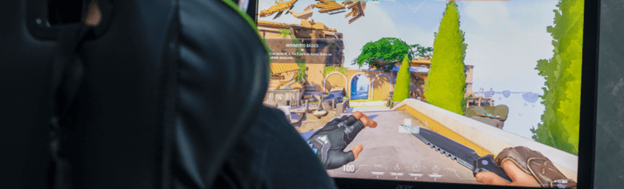

Valorant confirms that its Replay System will go live on Sept 16, 2025, along with Patch 11.06. The highly anticipated feature has been in development since the start of the year, and players have been patiently waiting for its release. Here is everything we know about Valorant’s Replay System:
Valorant Replay System Release Date
The official release date for the Replay System is Sept 16, which is the patch day for version 11.06. For console players, it will be available sometime in November. The feature will be available for Competitive, Unrated, Swiftplayer, and Premier modes.
How to Watch a Valorant Replay
You can access the replay feature by heading to the Match History. Upon clicking one of your previous games, the Replay Icon will be displayed on the top left. Clicking it will allow you to watch the gameplay of your currently selected match in your Match History. However, you can only watch replays of your own matches, so you won’t be able to view other people’s matches. You can also save your favorite replays so that they won’t get buried.
How Long Will Replays Remain
Your Replay videos will only be available for one whole patch, which is approximately two weeks. After a new patch is released, all your replays will be wiped, and you can no longer view recent and saved videos.
What are the Features in the Replay System
Several features will be available in the Replay Options while watching one of the VODs. You can view them by clicking the gear icon in the lower-left corner of the UI while watching the video. Here is what you’ll see in the interface:
Replay UI
- Show Lines for Kills & Deaths on Match Timeline Toggle
- Show Icons for Ultimate Use on Match Timeline Toggle
- Shows Full Screen Blind for Observers Toggle
- Show Keyboard Shortcuts on Control Buttons Toggle
- Show Final Match Stats in Scoreboard Toggle
Shortcuts
Playback
- Space – Play/Pause
- Left – Skip Back 5 Seconds
- Right – Skip Forward 5 seconds
Replay Functions
- T – Toggle Replay UI
- N – Show Combat Report
- . - Toggle Player Loadout Visibility
- Scroll Wheel – Toggle Cursor
- Esc – Show Game Menu/Exit
Camera
- V – Toggle Camera Mode
- RMB – Observer Previous Player
- LMB – Observe Next Player
- 1 – Observe Player 1
- E – Fly Up
- G – Fly Down
These functions enable you to replay videos, allowing you to view every aspect of a game.