
6IV Shiny Hoenn Starters with Master Balls Bundle for Pokemon Sword, Shield, Brilliant Diamond, Shining Pearl, Scarlet, Violet, and Legends Z-A
$ 5.99

- elymbmx
- Member since 2020
-
665 Total orders8 Pokemon Legends ZA
items reviews -
100.0% Total rating100.0% Pokemon Legends ZA
items Rating
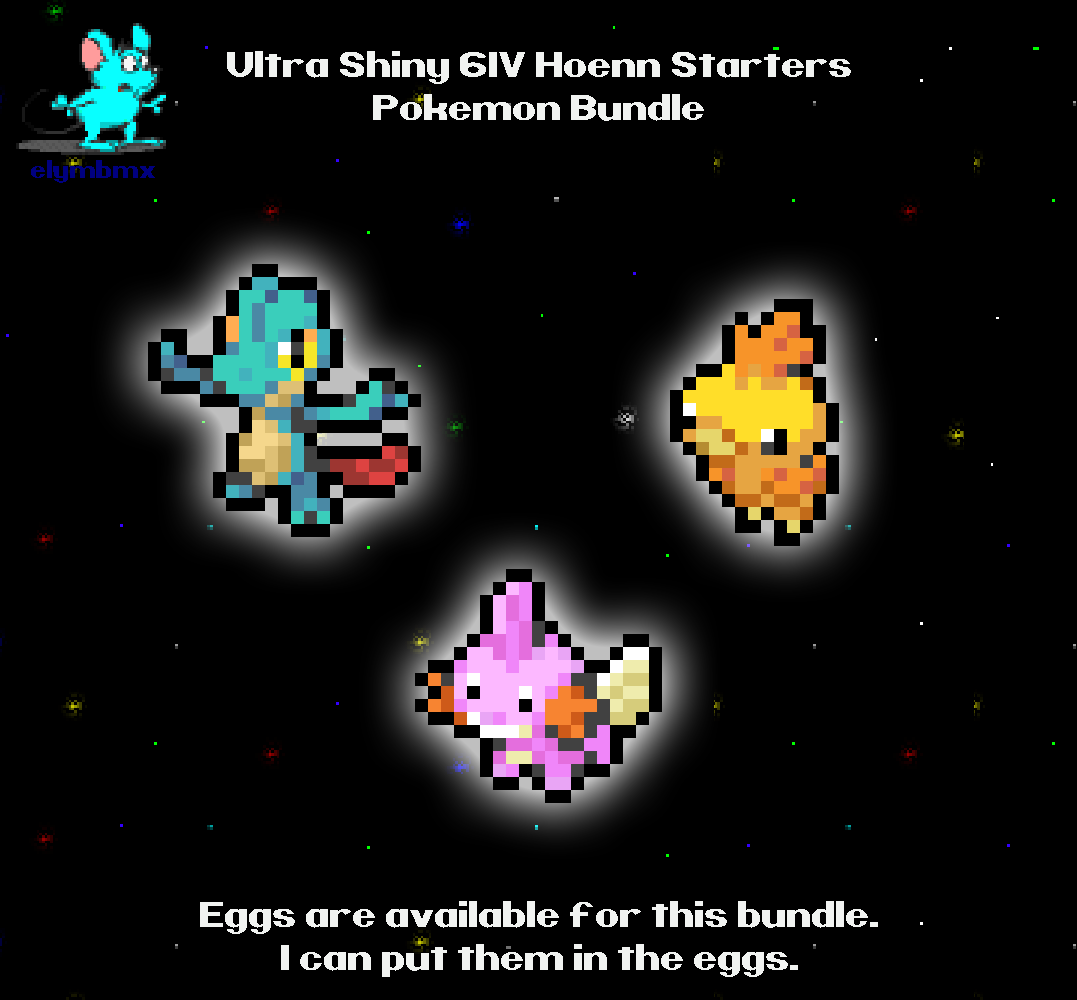
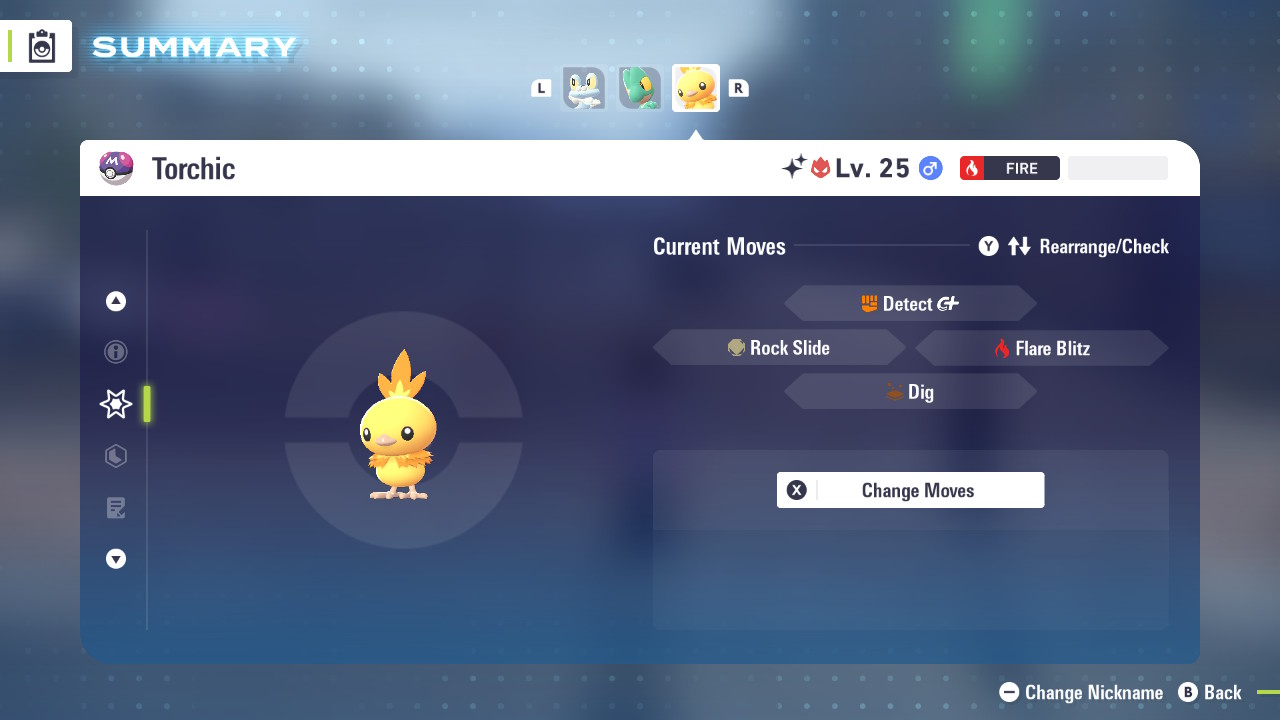
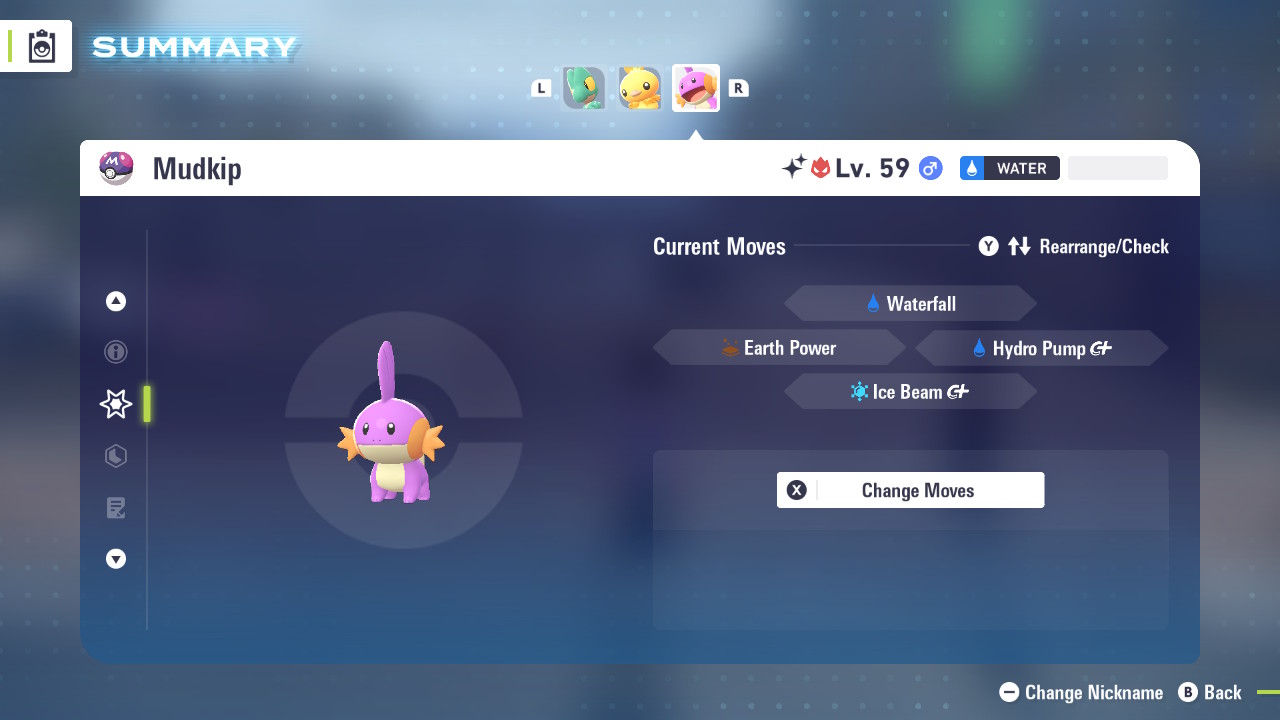
Shiny 6IV Hoenn Starters with Hidden Abilities Bundle.
You get ALL of the following:
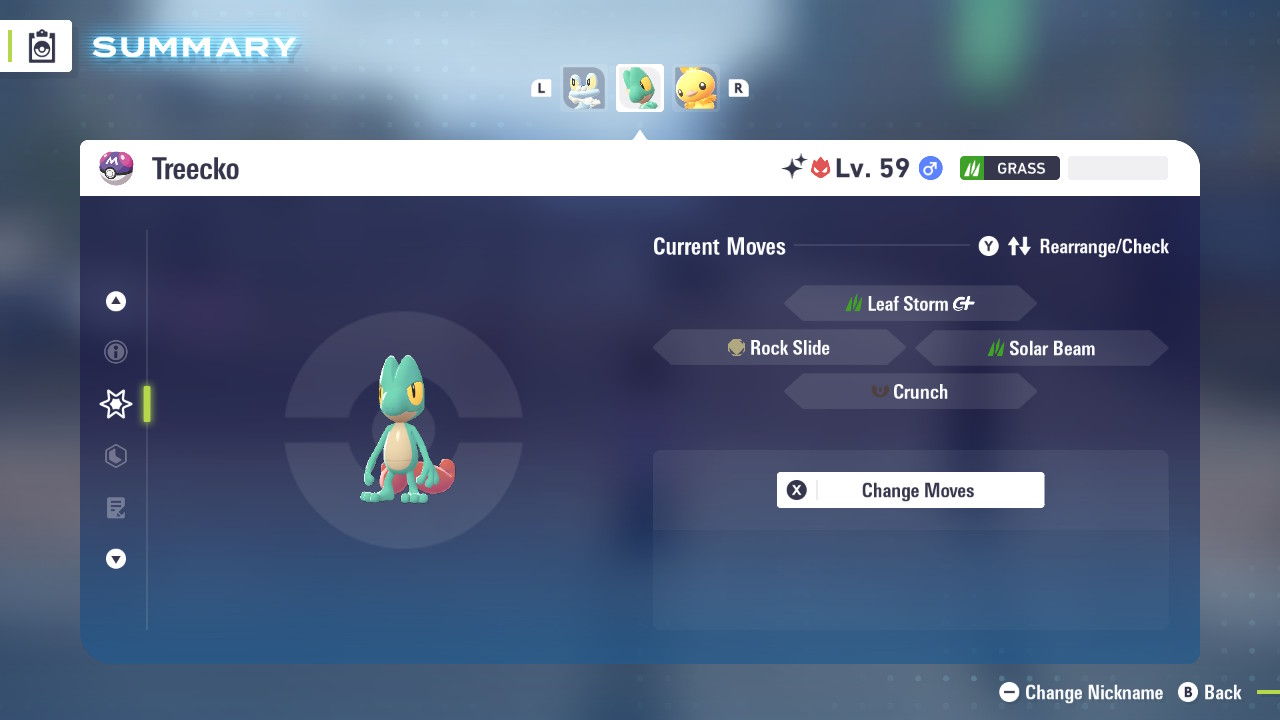
- Treecko with Hidden Abilities - Shiny and 6IV, Holding Master Ball.
- Torchic with Hidden Abilities - Shiny and 6IV, Holding Master Ball.
- Mudkip with Hidden Abilities - Shiny and 6IV, Holding Master Ball.
Please send me your name in the game and which game you are in via message. I will send you the link trade code.
**Trades are all done in the Pokemon Sword, Shield, Brilliant Diamond, Shining Pearl, Scarlet, Violet, or Legends Z-A games**
You will need:
- A Nintendo Switch Online Subscription
- 3 Unwanted Pokemon for this trade, you can trade anything
Step by Step Guide to Trading in Sword and Shield Game:
1: Press Y (To make the Y-COMM menu pop up)
2: Connect to internet by pressing the plus (+) button.
3: Select Link Trade
4: Select Set Link Code and you'll have a screen pop up to select a 8-Digit code. (I'll send this specific Pokemon code before we trade).
5: Once found, your Pokemon box will be shown and you can select any Pokemon you wish to offer for trade (any scrap Pokemon you catch in the wild will do) You can also see what Pokemon I will be sending you at the top of the screen.
After we've selected the Pokemon, it will go to another screen where we can both accept the trade (you can check the summary of the Pokemon here)
6: Select Trade It it to offer your Pokemon and the trade will go through. We then repeat depending on the amount of Pokemon you have purchased.
Step by Step Guide to Trading in Brilliant Diamond and Shining Pearl Game:
1: Once I send you a Link Code Press Y and enter "Global Room" (the box on right)
2: when lady ask you question, Select Yes, with a Link Code.
3: you have to press A few times till you get the dialog asking for Link Code.
4: Enter Link Code I have sent you then press the plus button to confirm the Link Code.
5: Once in Global Room you will see my character (avatar) and press A on me to start trade.
6: Your Pokemon box will be shown and you can select any Pokemon you wish to offer for trade (any trash Pokemon you don't want)
Step by Step Guide to Trading in Scarlet and Violet Game:
1. Press X to open the main menu
2. Select "Poke Portal"
3. On this screen, Press L to connect to the internet.
4. It should say "Online Mode" in green after you connected to the internet.
5. Select "Link Trade" then Select "Set Link Code"
6. Input the code that I gave to you.
7. Press Up on d-pad to select the blue "Begin Searching" button to start the trade search.
8. Press Yes to confirm trade searching.
9. If you see pop that say "No one could be found" try again with searching by selecting link trade and select "Begin Searching" and start trade searching again.
10: Once you found me, Your Pokemon box will be shown and you can select any Pokemon you wish to offer for trade (any trash Pokemon you don't want)
Step by Step Guide to Trading in Legends Z-A Game:
1. Press X to open the main menu
2. Select "Link Play"
3. Select "Link Trade" on right.
4. Select "Faraway Players" on right.
5. Press A once to close the internet warning screen.
6. Input the code that I gave to you.
7. press + to start trade searching.
8. If you see pop that say "No one could be found" try again with searching by selecting Faraway Players and try trade searching again.
9: Once you found me, Your Pokemon box will be shown and you can select any Pokemon you wish to offer for trade (any trash Pokemon you don't want)
$ 5.99
SIMILAR OFFERS
View AllPlayerAuctions puts each player’s reputation and success rate front and center, so you can buy with confidence knowing your payment stays secure until delivery is confirmed.
- Buyer places order and sends payment to PlayerAuctions
- Payment is verified and protected by PlayerGuardian
- Seller starts and completes delivery
- Buyer confirms delivery and seller receives payment
- Both parties leave feedback and rate the experience
Option 1: In-game, Face to Face Delivery
Sellers will select this method of delivery if they intend to meet your character in-game with one of their own characters. Usually, a seller will coordinate a time and location in-game to meet your character.
Tips:
- Be sure to confirm the time to account for time zone differences.
- Confirm which Server the delivery is to take place in case your game world has more than one.
- Never, under any circumstances, return gold, items, etc. to the delivery character if ever asked. In the event the seller asks you to, please take a screenshot and report this to PlayerAuctions Customer Support.
Option 2: In-game Mailbox delivery.
Some sellers will select the option to deliver gold or items directly to an in-game mailbox. This option can be convenient for smaller orders because you do not need to coordinate time of delivery.
Low Prices: Prices set by other players or PowerSellers on PlayerAuctions are often significantly lower than the high markups you would find on retail sites or various third-party marketplaces, including platforms like eBay, where sellers offer in-game assets—sometimes at lower prices. There are also markets on Discord, but you need to be cautious, as scams are common in less secure spaces.
When buying from any marketplace, make sure to purchase from reliable sellers to avoid risks. If you're looking to buy now, explore trusted platforms where you can buy from vetted sellers for a secure and hassle-free experience.
Security: PlayerAuctions is quite simply one of the most secure places to buy and sell in-game assets.
To see how quickly the seller may deliver your order, refer to the seller's delivery guarantee period, which is their promise to complete delivery within a certain timeframe after your payment. Each seller sets their delivery guarantee period independent of PlayerAuctions. In the event that the seller is unable to complete the delivery within their guaranteed time, you may cancel the order without penalty for a hassle-free refund.
The overwhelming majority of transactions through our site occur successfully. As for the very exceptional cases, you can rest assured that they have been carefully considered by our systems and processes, and we are well prepared to handle them in the rare event that they do occur. Read more.

PlayerAuctions delivers the safest way to buy and sell in-game assets online. PlayerGuardian protects every buyer from start to finish - keeping payments secure, trades private, and transactions worry-free. Every purchase comes with the following protections:
- Money-Back Guarantee on non-delivery
- Secure Payment Protection
- Account & Data Protection
- Real Seller Service Reviews
- Lifetime After-Sale Support
- Transparent Dispute Center
- PCI-Compliant
- Real-time Fraud Monitoring
- Advanced Thread Defense System